Think Linux-y Thoughts...
I first started tinkering with linux back when Ubuntu 6.04 was released. April 2006 was my first hint that things were not so good in Windows land, so I started looking for the exits.
Unfortunately, as someone who has always bought Nvidia cards, those cards were stacked against me and I never managed to make Ubuntu stick. Thankfully, it is now 2026 and my word things have changed.
Kubuntu 26.04 LTS
I’ve spent the past two decades dipping my toes in now and again to see how things were progressing. I’ve been fairly loyal to Ubuntu over this time because if there were bugs, they (presumably) had the resources to deal with them.
However, my weak spot has always been gaming. Ever since Doom 2 and the original Quake opened my eyes to what these formerly beige boxes could do, I’ve never been too far from a PC. Unfortunately, this was always a challenge for anyone looking to switch to Linux.
Not anymore. Valve, continuing to dangle the prospect of Half Life 3 over our heads, has been working on squaring the Linux gaming circle since Windows 8 came along and soiled the sheets. Now pretty much everything in my Steam library works fine on Linux.
At the beginning of the year I decided there was no going back to Windows, so I put in the request to delete my entire Microsoft account for good. I still have to deal with it at work, but my personal life is resolutely Windows-free now.
Anyway, onto Kubuntu 26.04.
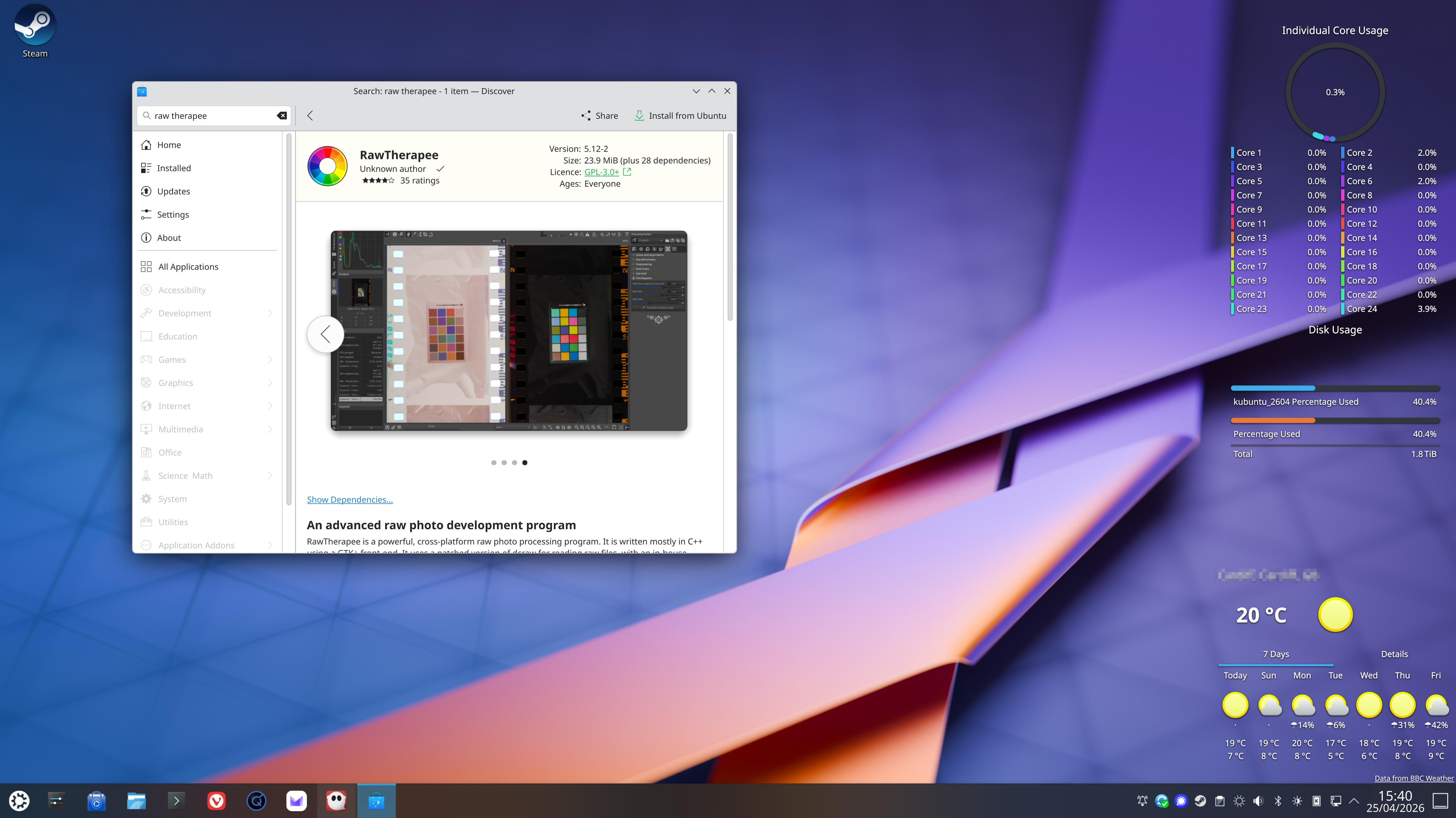
Up until this week I’ve been daily driving Kubuntu 25.10 and thoroughly enjoying what KDE has become. It is a beautiful desktop environment, which is backed up by a suite of equally great applications.
I normally like to do my drafting in iA Writer on the Mac, but there is no Linux version of that (yet), but there is Ghostwriter, a feature-rich yet refreshingly minimalist Markdown editor that you can obtain for free from the Discover store.
I’ve also been using QBZ, a Qobuz client that I mentioned previously. There are of course native Plex, Signal and Proton Mail apps, along with Vivaldi as my browser of choice.
Backing all this up, a few years ago I bought a Qnap NAS and around 16TB of storage to go into it. I use Qsync to sync my documents, music and photos to my laptop –currently a Macbook, but I’m testing the waters to see if I can replace that with something I can put Kubuntu on.
To move things between my iPhone and my desktop, there is the excellent KDE Connect app, which lets you share files between iOS and Kubuntu if you don’t have a NAS in between.
The only thing left to figure out is what to do with my 20 years of RAW images from my camera. I’ve been flip-flopping between Darktable (which is needlessly fiddly) or Rawtherapee, which is closer to what I’m used to with Capture One.
I’ve not found a good alternative to iCloud Photos yet. I had hoped Ente would be it, but its editing features continue to be disappointing at a time when they seem to be aggressively pushing AI features I don’t want. I just want to be able to re-orientate a photo without creating a duplicate of it. Is that so much to ask?
It is also another subscription, which I’m trying to get away from. I don’t see much point in paying to access my own files.
Thoughts…
I think desktop linux has reached the stage where I can feel entirely confident in recommending it to people who just want a reprieve from Microsoft’s increasingly anti-user practices. It’s as good on high-end hardware as it is at keeping older hardware out of the landfill.
It is also completely free for anyone to use. Just install it on a USB stick, mash F8 when you start your machine, select your USB stick and just play around with the desktop until you are ready to install it.
As long as you don’t want to play multiplayer games with kernel-level anti-cheat, most if not all games will work fine, in some cases better than they do on Windows thanks to the lack of telemetry and bloat.
The best part is, if you want to start from as bare a desktop as you like, they give you the option. You’re lucky if Microsoft will let you choose your web browser, but you will never be able to uninstall Edge. It is their computer, not yours.
The past two versions of Kubuntu have given me that giddy feeling I had back in the 90s, when the PC and even the internet were still new and exciting to me. KDE offers so much scope for customisation, but it is beautiful out of the box; it has a wealth of open source applications to choose from and perhaps most importantly, I feel like I own my computer again.
 I'm on Mastodon